


Instead of manually chasing staff sizes and counting garments across emails, use one uniform register to turn confirmed headcount into an order, then approve a free digital design proof before production. For your 2026 order, confirm which decorated options start at 5 garments and request an itemised quote from Workwear Martaustralia before committing.
- Learning how to manage staff uniforms starts with one register covering staff sizes, garment quantities and approvals.
- Workwear Martaustralia suits Australian teams buying custom-branded workwear with a documented size and artwork brief.
- Confirm sizes against the exact garment chart before calculating your bulk uniform order.
- Keep garment, decoration, setup and delivery charges separate in your quote.
Why this matters
A staff headcount is not an order quantity. You also need each person's garment allocation, confirmed sizes, usable existing uniforms and any approved spare stock.
Build the order from individual requirements, not an estimated size mix. A total of 40 garments tells a supplier very little without the style, colour, size breakdown and decoration instructions.
For a 2026 uniform refresh, keep the issued-stock record separate from the purchasing total. That distinction lets you replace worn garments without accidentally ordering a full allocation for everyone again.
Before you start
- Access and ownership: nominate one order coordinator and one purchase approver. Give the coordinator access to the current staff list, existing uniform records and workplace clothing requirements.
- Garment and artwork details: collect the exact garment references, manufacturer size charts, logo files, decoration positions and delivery destination. Ask for an itemised quote and a free digital design proof.
- The sizing gotcha: do not transfer a person's usual size between different garments. Confirm the exact style and check whether its chart gives body measurements or garment measurements before collecting responses.
You do not need specialist uniform software for this workflow. A shared spreadsheet works when one person controls the purchasing version; a form helps when staff need to submit their own details.
| Collection option | Best for | Benefit | Limitation |
|---|---|---|---|
| Coordinator-managed spreadsheet | A team whose manager collects sizes directly | Keeps collection, checks and totals together | Requires manual follow-up and careful editing |
| Staff form feeding a register | Teams spread across shifts or locations | Gives everyone the same questions | Still needs duplicate checks and garment-specific size instructions |
These are collection methods, not competing sources of truth. Whichever method you choose, keep one approved register for the order.
Staff register configuration
Create a workbook with separate sheets for staff requirements, order totals and issued garments. The bold labels below are suggested column names you create, not buttons in a particular app.
Establish the staff list
- Add Staff ID, Staff name, Location, Role and Employment status to your requirements sheet. Use the staff identifier to distinguish people with similar names.
- Add Required garment, Garment reference, Colour, Size, Allocation and Usable stock. Give each staff member a separate row for each garment they need.
- Add Size confirmed, Approval status and Notes. Leave incomplete information visibly unresolved rather than filling gaps with guesses.
Expected result: every requested garment belongs to an identifiable person, and missing decisions remain visible.
Exclude people who no longer need uniforms before calculating totals. For incoming staff, record only confirmed requirements; keep speculative recruitment separate from the purchasing list.
Set role-based allocations
- Define which garments each role needs. Separate everyday workwear, corporate clothing and any clothing subject to workplace safety requirements.
- Set the allocation per person using your roster, laundering arrangements and uniform policy. Do not assume every employee needs the same quantity.
- Record who approved each allocation. If a manager requests extra garments, capture the reason alongside the change.
Expected result: you can explain both who receives a garment and why that quantity was requested.
For hi-vis clothing, verify the manufacturer's specifications for the exact garment and check workplace requirements before ordering. A colour description or product photograph is not evidence that a garment meets the requirements for a particular task.
Size and quantity configuration
Collect confirmed garment sizes
- Send staff the exact garment reference and its size chart. Explain whether the chart asks them to measure their body or compare measurements with a garment they already own.
- Ask each person to confirm a size for each style. Record Size confirmed only after receiving that confirmation; an old uniform size is a reference, not automatic approval.
- Resolve unusual measurements or fit questions before submitting the order. Ask about a sample or fitting option rather than promising one is provided.
Expected result: every purchasing row has a confirmed size tied to a specific garment.
Use the guide to choosing custom polo shirt sizes when polos form part of the order. Keep different cuts and styles separate even when their size labels look identical.
Calculate the purchasing total
- Calculate each person's new requirement: approved allocation minus usable stock. If usable stock already meets the allocation, enter zero rather than a negative quantity.
- Add approved spares as separate rows. Record the garment, size, quantity and reason instead of hiding spare stock inside staff allocations.
- Group the purchasing rows by garment reference, colour, size and decoration specification. Check that the grouped total matches the individual requirements plus spares.
Expected result: your supplier receives an order-ready breakdown, not just a headcount.
Here is an illustrative calculation, not a recommended allocation: 12 staff receiving 3 polos each require 36 polos. Adding 4 approved spare polos gives an order of 40 polos when no usable existing stock is being deducted.
| Illustrative size | Staff allocation | Approved spares | Order quantity |
|---|---|---|---|
| S | 6 polos | 0 polos | 6 polos |
| M | 12 polos | 2 polos | 14 polos |
| L | 12 polos | 2 polos | 14 polos |
| XL | 6 polos | 0 polos | 6 polos |
| Total | 36 polos | 4 polos | 40 polos |
Do not copy this size mix into your own order. The example demonstrates reconciliation; your confirmed staff responses determine the actual breakdown.
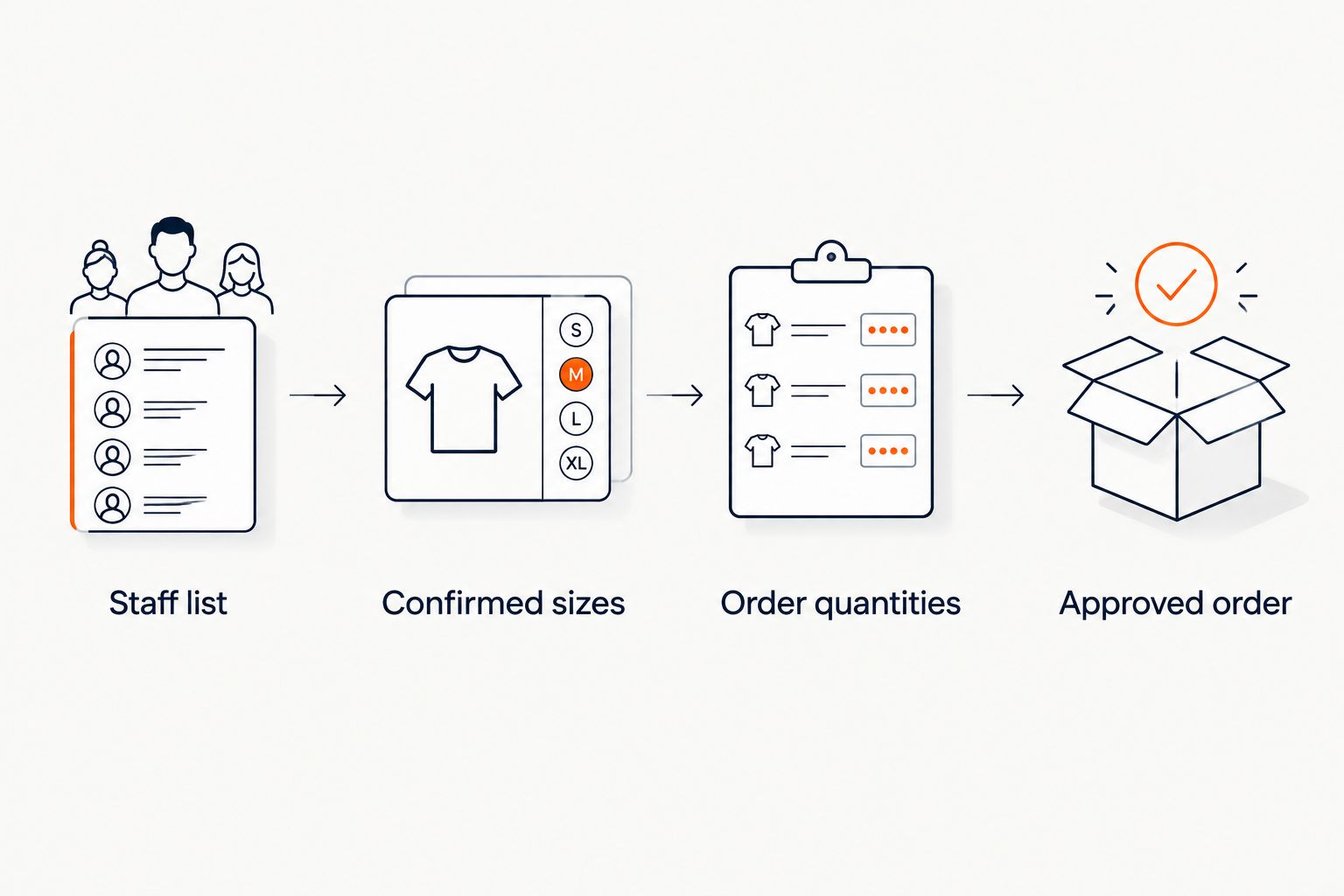
The process is straightforward: confirm the staff list, check sizes, total quantities and approve the order. Keep those checkpoints separate so a completed headcount cannot be mistaken for a production-ready brief.
Quote and artwork configuration
Prepare the supplier brief
- Send the garment references, colours, size totals and decoration requirements together. Identify logo positions and any individual names or role labels separately.
- Request charges split into Garments, Decoration, Setup and Delivery, with amounts in Australian dollars and GST treatment stated. Ask whether setup charges apply to the proposed order or later repeat orders.
- Give the required arrival date and destination. Ask for estimated production and delivery timing, including when the estimate starts and what approvals must happen first.
Expected result: you can match the quote to the exact order without confusing a decoration-only charge with a finished garment.
For a 2026 purchase, save the dated quote alongside the version of the quantity schedule it covers. If quantities or decoration change, request a revised quote rather than assuming the original total still applies.
Workwear Martaustralia offers custom-branded workwear, uniforms, hi-vis and team apparel. The practical advantage is being able to brief garment and branding requirements together; the work you still need to do is confirm fit, quantities and workplace suitability before approval.
Approve the production brief
- Request the free digital design proof and check logo spelling, colours, positions and individual details. A digital proof checks artwork intent; it does not confirm physical fit.
- Compare the proof and quote with the same order schedule. Confirm the decoration method with the supplier rather than selecting it solely from a screen preview.
- Record Approved by, Approval date and Order version. Keep the approved files together and remove superseded versions from the active ordering folder.
Expected result: one authorised order connects the quantities, artwork, quote and delivery instructions.
Do not describe garments as Australian-made simply because decoration occurs in Australia. Garment manufacture and decoration location are separate facts that require separate confirmation.
Delivery and issue configuration
Reconcile the delivery
- Count delivered garments against the approved order by style, colour and size. Keep the delivery record with the order paperwork.
- Check decoration against the approved proof before handing garments out. Photograph any discrepancy and identify the affected garment and quantity when contacting the supplier.
- Record Date issued, Quantity issued and Recipient confirmation as garments go to staff. Move unused spares into a separate stock balance.
Expected result: the delivery count, staff issue record and spare-stock balance agree.
Retain the exact garment references after distribution. A description such as navy polo is not enough to identify the same style for a later reorder.
Repeat-order workflow for new starters and replacements
Use the same register whenever a new starter joins or an existing employee needs a replacement. Order the outstanding requirement, not the original allocation again.
- Add the new requirement with a reason such as new starter, damaged garment or changed size.
- Check usable spare stock before adding a purchase quantity. Record any stock issued immediately so it cannot be allocated twice.
- Confirm the current garment reference and size chart. Ask the supplier to confirm the earlier artwork details before reusing them.
- Group approved purchasing requirements into a new order version. Keep the previous completed order unchanged.
A file name such as Uniform order 2026 — approved distinguishes the purchasing snapshot from a live staff register. Give later amendments their own version so the supplier does not receive conflicting instructions.
This approach saves re-entering unchanged details, but old records still need checking. A previous order does not confirm a current employee's size or establish that every supplier detail remains unchanged.
Troubleshooting
- Two responses arrive for one employee: match records using Staff ID, confirm which response replaces the other and remove the duplicate from purchasing totals. Do not add both quantities.
- Someone supplies only their usual size: send the exact garment chart and leave Size confirmed unresolved. Finalise the affected row only after confirmation.
- The quote quantity differs from the register: compare totals by garment, colour and size, including spare-stock rows. Resolve the difference before approving either document.
- A late change arrives after approval: send a written amendment identifying the affected rows. Ask whether the change can be accepted and request confirmation of any revised charges or timing before treating it as approved.
- A logo looks unclear on the proof: ask what source file the supplier needs and whether artwork preparation is required. Enlarging a small image does not restore missing detail.
Customise your workflow
Add fields only when they support a real purchasing decision. A branch code helps split deliveries; a cost centre helps assign charges; a replacement reason helps distinguish wear, loss and sizing changes.
For teams ordering through Workwear Martaustralia, keep the supplier brief separate from private staff notes. Send only the information needed to fulfil the branded workwear order, and restrict access to staff measurements and personal details.
Choose a review point that fits your roster and onboarding process. Before each reorder, reconcile issued garments and spare stock so the live register remains useful rather than becoming a history of unchecked requests.
FAQ
What's the simplest way to manage staff uniforms?
Keep one register covering staff requirements, confirmed garment sizes, quantities ordered and garments issued. Nominate one coordinator to control the purchasing version and record approvals.
How many uniforms should I order per employee?
Set the allocation from the employee's role, roster, laundering arrangements and your uniform policy. Deduct usable existing garments before calculating the new purchasing requirement.
Should I order spare uniforms in every size?
Order spares against an approved reason rather than automatically buying every size. Record spare quantities separately so you can distinguish employee allocations from stock held for later use.
Can staff use their usual shirt size for a uniform order?
Staff should confirm their size against the exact garment's chart. Size labels do not establish that different styles or cuts have the same measurements.
What should an itemised uniform quote include?
An itemised uniform quote should separate garment, decoration, setup and delivery charges, state amounts in Australian dollars and identify GST treatment. It should also match the garment references, size quantities and artwork requirements in your order brief.
Does a digital design proof confirm how the uniform will fit?
No, a digital design proof checks the proposed artwork rather than physical fit. Confirm sizes separately using the exact garment chart and ask about fitting options where needed.
How do I manage uniform orders for new starters?
Add each new starter to the existing register, confirm their garment sizes and check spare stock before purchasing. Create a new approved order version without changing the record of an order already completed.
One last thing
Keep an unedited copy of the approved quantity schedule. Your live register changes as people join, leave or change sizes; the approved snapshot preserves what you actually authorised the supplier to make.
For your next 2026 order, send Workwear Martaustralia the size breakdown, garment references and logo files together. Request an itemised quote and free digital mock-up, then approve the paperwork as one matched set.
