


Instead of chasing sizes, logo changes and delivery details across separate messages, use a custom workwear order process that takes one approved brief through quoting, a free digital design proof, production and delivery. Workwear Martaustralia offers decorated orders from 5 garments; front embroidery starts at A$12 + GST, with A$59 + GST setup, while garments and delivery are separate costs.
- Workwear Martaustralia suits Australian teams ordering custom workwear with embroidery, printing or sublimation.
- Your custom workwear order process needs one size list, an itemised quote and an approved digital mock-up.
- A digital design proof checks artwork and placement; it does not confirm garment fit.
- Approve the exact artwork version and order quantities before authorising production.
Why this matters
A digital mock-up approves the design, not the whole order. You still need to confirm garment styles, sizes, decoration details, charges and delivery arrangements before production starts.
For your 2026 uniform order, keep those decisions in one order record. A visually correct logo cannot resolve an incorrect size split, an omitted back print or a delivery address copied from an old order.
Workwear Martaustralia custom workwear suits Australian businesses, trade teams and sporting clubs ordering branded uniforms. The practical trade-off is that decoration adds decisions beyond buying blank clothing: artwork, placement and production approval all need checking.
Before you start
- Prepare the order materials: gather your logo files, garment preferences, required quantities, staff size selections, delivery address and required-in-hand date. Nominate one person to approve artwork and expenditure.
- Create a shared order record: use a spreadsheet or document accessible to your organiser and approver. No particular software account is required; keep supplier correspondence and the final proof alongside it.
- Separate fit from artwork approval: a digital mock-up cannot show how a garment fits your staff. Check the exact garment’s size chart before approving quantities, and confirm workplace requirements before selecting or decorating hi-vis clothing.
Order brief and itemised quote
Build the order record
- Create your own spreadsheet headings: Wearer, Garment style, Colour, Size, Quantity, Decoration, Placement and Notes. These are suggested document headings, not website checkout fields.
- Enter each garment variation separately. Keep polos, shirts and hoodies on separate lines, even when the same employee receives all three.
- Ask each wearer to check measurements against the exact garment’s size chart (where one is published). Do not automatically transfer a size from a different brand or cut.
- Record your required-in-hand date and delivery address. Identify whether the date relates to a site start, staff induction or club event.
- Send the consolidated brief to Workwear Martaustralia and request an itemised quote plus a free digital mock-up before production.
Expected result: one document identifies what you want made, who will wear it and where it needs to go. Another organiser should be able to read it without guessing what a message means.
Compare decoration methods
Choose decoration before approving the quote because the method affects artwork preparation and garment suitability. Embroidery stitches the design into the fabric; DTF transfers a printed design onto it; sublimation dyes suitable polyester fabric.
| Method | Best for | Advantage | Limitation to resolve |
|---|---|---|---|
| Embroidery | Small logos on suitable polos, shirts and outerwear | A stitched finish | Fine lettering and dense designs need checking at the proposed size |
| DTF printing | Printed logos with colour detail on suitable garments | Reproduces artwork as a print rather than stitches | Fabric suitability and the feel of the decorated area need checking |
| Sublimation | Polyester teamwear with integrated designs | Colour and artwork become part of the fabric | Requires suitable polyester fabric; it is not a substitute for decorating any existing garment |
Choose the method for the garment and artwork, not just the lowest decoration charge. Ask for confirmation if the design crosses seams, pockets or reflective material, or includes small lettering.
For hi-vis workwear, verify the manufacturer’s specifications for the exact garment and check your workplace’s requirements. A garment colour or a mock-up alone does not establish suitability for a particular job.
Check the quote components
Keep your 2026 quote split into garment, decoration, setup, delivery and GST. A decoration-only amount does not buy the garment.
As a worked budgeting example, 5 front embroideries at A$12 + GST each total A$60 + GST. Adding A$59 + GST setup gives A$119 excluding GST, or A$130.90 including 10% GST, before garments and delivery.
That example covers only the stated front embroidery and setup. Extra placements, names or different artwork need their own confirmation rather than being assumed part of that amount.
Ask whether setup applies to your particular order and whether any existing artwork file can be reused. Confirm the final written quote before payment or production authorisation.
Digital proof and approval record
Check the mock-up against the brief
- Open the current proof beside your order record. Confirm the garment style and colour shown match the quoted selection.
- Check every logo, sponsor name, phone number and spelling against the supplied artwork. Review the back and sleeves as well as the front when those areas are included.
- Confirm placement and request the proposed decoration dimensions in millimetres. A logo that looks balanced on a screen still needs an agreed physical size.
- Check colour references with the supplier. Treat your screen as a review aid, not a physical colour sample.
- Request all changes in one consolidated reply. Identify the proof version and describe each change by garment and placement.
Expected result: the proof and written decoration details describe the same job. No instruction depends on someone remembering an earlier conversation.
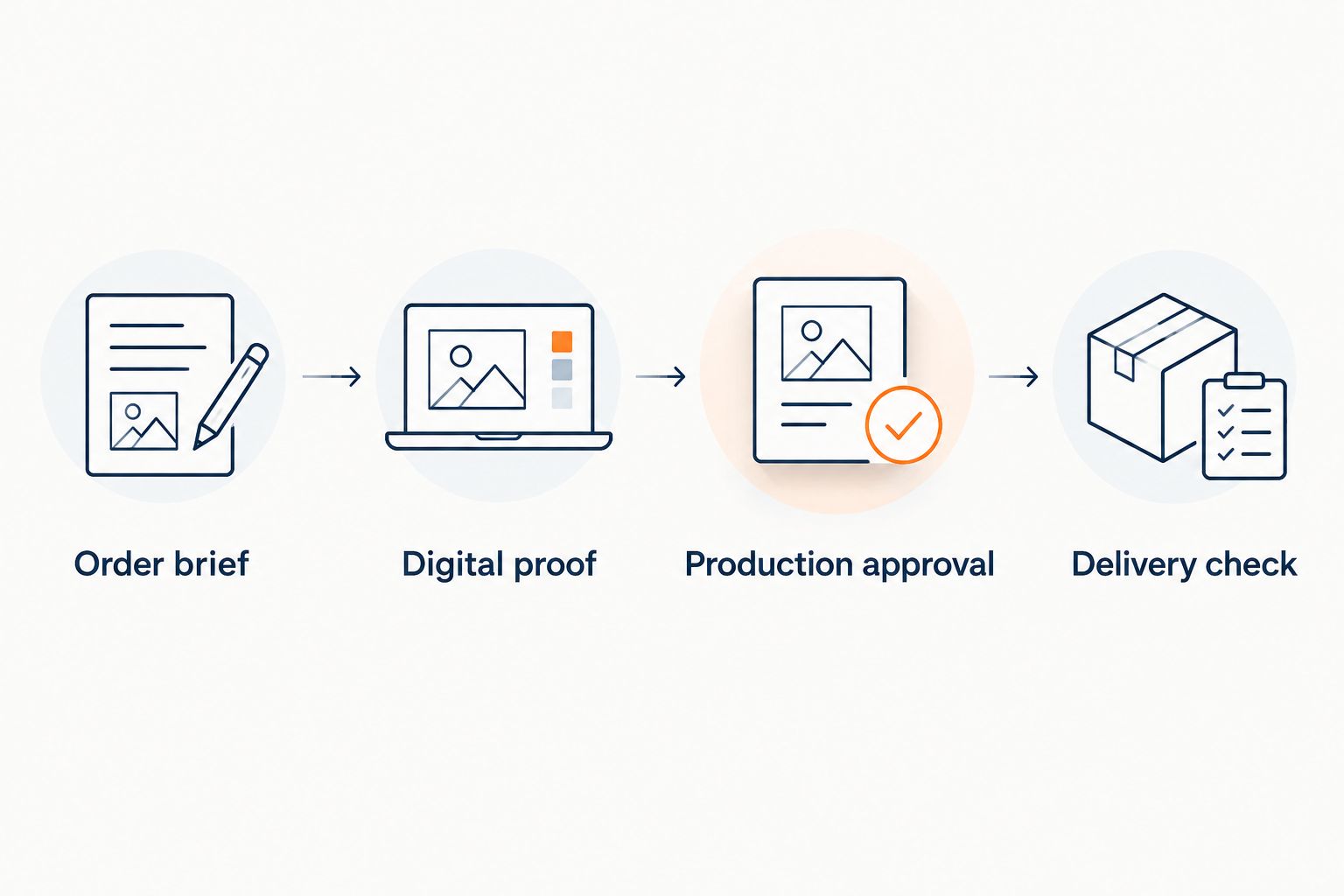
Keep four checkpoints visible in your order record: Order brief, Digital proof, Production approval and Delivery check. Each checkpoint needs a clear owner and a recorded decision.
Record approval without ambiguity
- Save the accepted proof with a clear filename containing the order reference, version and approval date.
- Record the approved garment list, size split, quantities, decoration method, placement and dimensions alongside that file.
- Ask the nominated approver to confirm both the proof and the corresponding order details in writing.
- If anything changes afterwards, ask the supplier whether the change affects production, charges or timing before treating it as accepted.
Expected result: there is one accepted version, with a written record of what was approved and when. An approval of an earlier proof does not silently carry over to a changed design.
For more detail on preparing stitched artwork, use the logo-file-to-embroidered-uniform workflow. It addresses the preparation stage before you sign off on embroidery.
Production release and delivery handover
Confirm the production conditions
- Match the final quote to the accepted proof and order record. Resolve any difference before authorising production.
- Confirm the payment requirements directly with the supplier. Do not assume artwork approval alone starts the job.
- Request a written production estimate that states its starting conditions, including artwork approval and any required payment.
- Ask for the estimated dispatch date separately from the delivery estimate. Record your required-in-hand date beside both.
- Confirm the recipient’s name, delivery address and relevant access instructions before dispatch.
Expected result: you understand what releases the order into production and what the timing estimate covers. An estimated dispatch date is not a promised arrival date.
For a date-sensitive 2026 order, ask the supplier to confirm whether the required date is achievable before you approve the job. Do not plan an event around an unconfirmed turnaround assumption.
Check and distribute the delivery
- Compare the received garments with the approved order record before distributing them to staff.
- Count quantities by style, colour and size. Check decorated positions and any individual names against the accepted proof.
- Photograph any discrepancy clearly and send the supplier the order reference, affected items and description promptly.
- Record what was issued to each wearer. Keep the final artwork, garment references and size list for future orders.
Expected result: you have a checked delivery and a usable reorder record. If something differs from the approved order, you can identify the affected items rather than reconstructing the whole purchase.
Reorder whenever your team changes
A reorder uses the same checkpoints, but starts with your saved specification rather than a new brief. Reuse the record, then reconfirm the details. Do not assume a previous approval covers a different garment or decoration position.
- Copy the completed order record and give the new request its own reference.
- Mark what stays the same: artwork, decoration dimensions, placement and garment references.
- Add the new wearer’s measured size selection and requested quantity. Ask whether the new request meets the applicable order requirements.
- Request a current quote and timing estimate. Confirm whether setup is required again.
- Request a revised proof if the logo, garment, colours, placement or personalisation changes.
Expected result: a top-up order remains traceable without overwriting the original purchase. The records show exactly which version each wearer received.
For multi-branch businesses, nominate one person to control the approved artwork. Local organisers can collect sizes without independently changing logo proportions or adding unapproved text.
Troubleshooting your workwear order
The logo looks blurred on the proof
Send the original vector artwork if you have it, rather than a screenshot copied from a document. Ask the supplier to confirm whether the file suits the decoration method and proposed size; enlarging a low-resolution image does not restore detail.
Staff select inconsistent sizes
Return to the exact garment’s size chart and check how its measurements are defined. Replace guesses with recorded selections before production approval; a mock-up cannot resolve fit uncertainty.
Two people approve different proof versions
Pause approval and nominate one final decision-maker. Consolidate comments into a single response, then save the replacement proof separately and mark the earlier version as superseded.
The total differs from the decoration rate
Compare garment, decoration, setup, delivery and GST line by line. Check the number of placements and any personalisation; the front embroidery example above does not cover additional work automatically.
Dispatch timing is mistaken for arrival timing
Ask for separate production, dispatch and delivery estimates, including the conditions attached to them. If the required date changes, tell the supplier immediately and request a fresh assessment rather than assuming the original estimate still fits.
Customise your workflow
Use the same core record for different uniform programmes, but add fields only where they change the order. A sporting club needs names and numbers; a multi-site business needs delivery allocations; a trade team needs workplace clothing requirements checked before garment selection.
For your next 2026 order, add Approver, Proof version and Required-in-hand date to the top of the document. Those fields make ownership and deadlines visible without creating another system to maintain.
When requesting Workwear Martaustralia custom workwear, send the size list and artwork together and ask for an itemised quote and free digital mock-up. Keep every requested change tied to the same order reference.
FAQ
What is the custom workwear order process?
The custom workwear order process runs from a garment and size brief through an itemised quote, digital proof, written approval, production and delivery checking. Keep the approved artwork and order details together so the finished garments can be checked against them.
Can I order custom workwear for a small team?
Workwear Martaustralia offers decorated orders from 5 garments. Confirm the applicable quantity requirements for your chosen garments, decoration and any later top-up order.
Does a free digital mock-up show how the uniform will fit?
No, a digital mock-up checks the design and proposed placement, not garment fit. Use the exact garment’s size chart (where one is published) and confirm each wearer’s selection separately.
What should I check before approving a workwear proof?
Check garment style and colour, artwork version, spelling, logo colours, decoration dimensions and every included placement. Approve the size split and quantities alongside the proof, not by assumption.
How much does front embroidery cost?
Front embroidery starts at A$12 + GST, with A$59 + GST setup. Garments, delivery and any additional decoration are separate; request an itemised quote for the actual order.
How long does a custom uniform order take in 2026?
Get a written estimate for your specific 2026 order before authorising production. Confirm when production timing starts, the estimated dispatch date and the separate delivery estimate.
Can I use the same logo for a future uniform order?
Keep the approved logo and decoration specification for future orders, then ask the supplier to confirm reuse. A different garment, placement or decoration method needs a fresh suitability check, and setup charges need reconfirmation.
One last thing
Save the finished order record, not just the logo. The useful reorder file includes the accepted proof, garment references, decoration dimensions, size split and final quote.
Before placing your next order, open that record and mark every requested change. A familiar-looking logo is not proof that two uniform orders have the same specification.
