

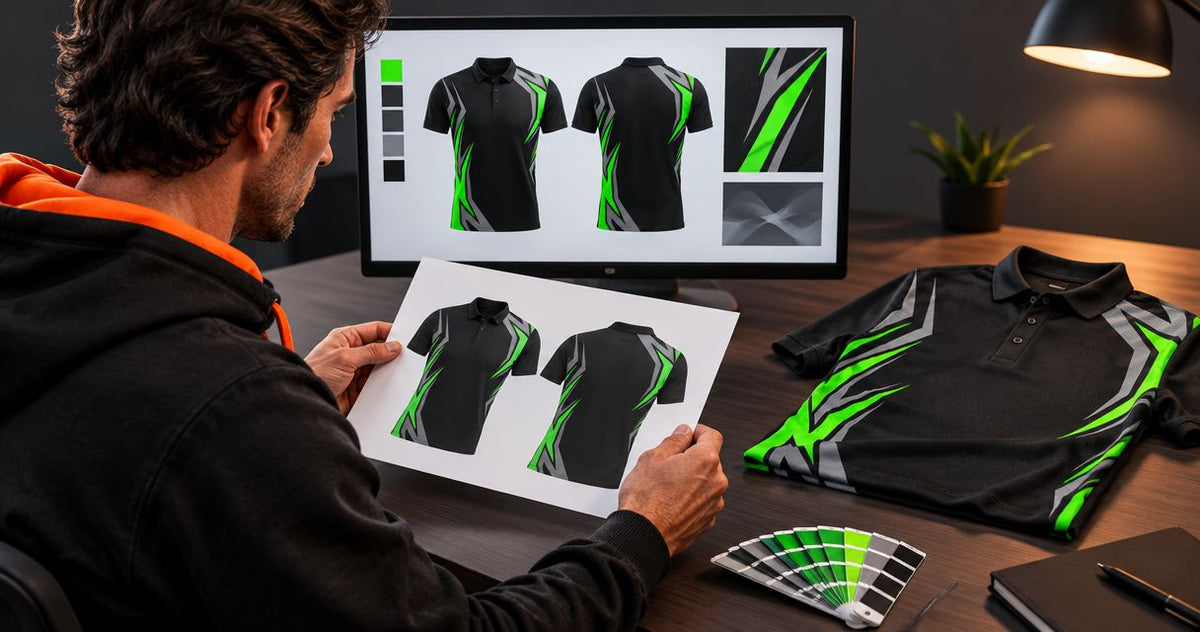
Check a design proof for sublimated polo shirts against your original brief, approved logo files and final size list before you authorise production. Review every garment view, confirm colours and wording, and get unclear dimensions or placement details written onto the revised proof. A digital mock-up checks the proposed artwork; it does not replace a physical fit check or confirm an exact screen-to-fabric colour match.
- Approve sublimated polo shirts only when artwork, logo placement and the size list agree.
- Check front, back and sleeves; a front-only mock-up leaves important details unchecked.
- Workwear Martaustralia suits Australian businesses and sporting clubs ordering custom-branded apparel.
- Request a free digital design proof before production, then approve one clearly identified final version.
How do you check a sublimated polo shirt design proof?
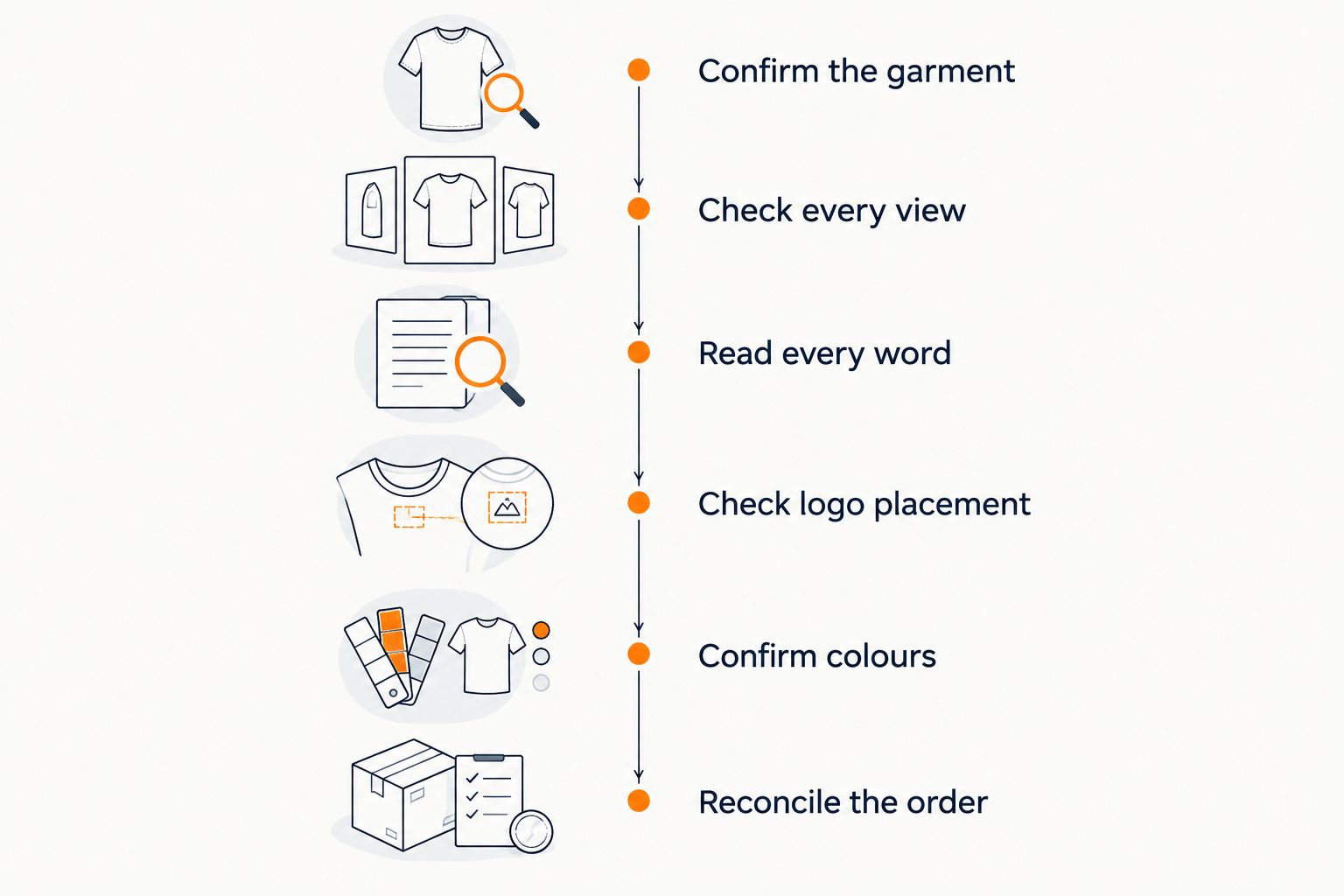
Check the proof against your order documents, not your memory. Open the artwork, logo files and size list together, then work through the following steps. For a 2026 club uniform order, include the current sponsor brief rather than relying on last season’s shirt.
- Confirm the garment. Check that the proof shows the polo style, sleeve length, collar and overall layout you requested.
- Check every view. Review the front, back and both sleeves wherever artwork appears. Ask for any missing views.
- Read every word. Compare business names, sponsor names, player names, numbers and contact details character by character.
- Check logo placement. Confirm the correct logo version, position, orientation and intended printed dimensions.
- Confirm colours. Compare the specified colour references with your brand guidelines and ask how colour expectations will be handled.
- Reconcile the order. Match personalisation to the final garment sizes and quantities before signing off.
Use the sublimated polo shirt sponsor logo positions guide when several organisations share the same shirt. Resolve the placement plan before approving individual logos.
A useful approval process keeps artwork checking separate from order administration. Both need to be correct. A perfect-looking shirt drawing does not confirm that the right person will receive the right size.
Why this matters
A proof is your chance to settle what will be printed before production begins. Treat approval as a specific instruction about a named artwork version, not a general response that the design looks good.
Sublimation puts the design into suitable fabric rather than adding a separate stitched logo. That makes the overall artwork important: the background pattern, sponsor marks and personalisation belong in the same review.
For sublimated polo shirts, approve the entire garment layout—not just the chest logo. A small spelling error deserves the same attention as an incorrect background colour because both become part of the approved design.
What should appear on the proof?
Ask for enough information to understand what you are approving. Not every detail needs to sit on the shirt illustration, but the proof and accompanying order confirmation should tell the same story.
| Check | What to confirm | Reason to request a revision |
|---|---|---|
| Garment views | Front, back and decorated sleeves | A decorated area is not shown |
| Logo identity | Correct business and sponsor artwork | An old or alternate logo appears |
| Placement | Intended panel, orientation and dimensions | Position is described only as roughly centred |
| Text | Exact spelling, capitalisation and punctuation | Wording differs from the approved brief |
| Colours | Named references and agreed expectations | Colour instructions are missing or contradictory |
| Personalisation | Names and numbers matched to sizes | The artwork and order list disagree |
| Version | Clear revision identifier | Different files share the same approval status |
For your 2026 order, record the revision identifier in the approval email. Keep superseded files separate so another organiser cannot accidentally approve an older attachment.
Check the collar, placket and sleeve details
The placket is the opening below the collar where the buttons sit. Look at how the artwork meets this opening, especially when a stripe, pattern or central graphic runs across the front.
Check which sleeve carries each mark. Write left and right from the wearer’s perspective, rather than assuming everyone interprets a front-facing drawing the same way.
Ask whether any important artwork approaches a seam or panel edge. Do not assume a flat drawing promises an uninterrupted pattern across every join; request confirmation of the intended finished result.
Check logo dimensions, not just visual balance
A logo can look balanced on a mock-up without having a confirmed printed size. Ask for the intended width or height in millimetres, particularly when sponsors have supplied placement requirements.
Also ask whether logo dimensions stay the same across the ordered size range or change with the garment. Neither approach should be left to assumption when small and large shirts share the order.
How do you check logo files and small text?
Open the supplied logo file and compare it directly with the proof. Check the full business name, symbol, tagline and any required clear space—the empty area surrounding the logo.
A vector file describes artwork using shapes and paths rather than a fixed grid of pixels. It is useful for scaling logos, but a file extension alone does not prove the artwork inside is suitable. Ask the supplier to assess the actual file.
Use this checklist before approving:
- Confirm that the logo owner has authorised the version supplied.
- Check that a reversed logo is intended for use against a dark background.
- Read small taglines and sponsor text at the proposed printed dimensions.
- Ask whether fine details need simplifying for the selected fabric and process.
- Request a corrected proof after any artwork adjustment.
Do not approve an unreadable tagline because the main logo looks right. If the text matters, ask the supplier to confirm its suitability at the intended size. Zooming into a screen image does not establish how readable the finished print will be.
How do you check colours without a fabric sample?
Use written colour references rather than descriptions such as bright blue or club green. Supply your existing brand guidelines where available, and ask the supplier to explain how those references will be interpreted for sublimation.
Screens emit light; fabric reflects it. A digital proof therefore helps you check colour intent and colour placement, but it is not a physical colour sample.
For a 2026 uniform refresh, identify whether matching an existing shirt is essential or whether the new order establishes a new reference. Tell the supplier before approval rather than assuming a photograph provides an exact match.
Ask these questions:
- Which colour references are recorded for the design?
- Is the background colour specified as well as the logo colours?
- What physical sampling options exist if colour matching is critical?
- What limitations apply to matching existing garments?
Sampling arrangements need their own confirmation. Do not assume a free digital proof includes a physical sample, a printed swatch or an exact colour guarantee.
Why proof checks vary between uniform orders
The same approval routine works across orders, but the emphasis changes with the design and the people wearing it. Spend the most time on the details your particular order depends on.
- Sponsor artwork: Multiple logos require a clear placement plan and permission to use the supplied marks.
- Personalisation: Individual names and numbers need to match the order list, not merely a sample shirt illustration.
- Size range: Ask how artwork dimensions and positioning are handled across the selected sizes.
- Background design: Patterns crossing panels require more checking than a plain background with isolated logos.
- Colour matching: Existing uniforms or brand guidelines require explicit colour instructions.
- Workplace requirements: A business uniform needs checking against its intended workplace use, not just its appearance.
A bright sublimated polo is not automatically suitable as safety workwear. Where hi-vis requirements apply, verify the manufacturer’s specifications for the exact garment and check your workplace requirements before placing the order.
How do you match names, numbers and sizes?
Keep 2 documents aligned: the approved artwork and the final order list. The artwork controls the design; the order list controls who receives each garment and which personalisation belongs on it.
Give every personalised entry a separate row. Include the wearer’s name as it should print, garment size, number if required, quantity and any role wording. Leave no ambiguity between an organiser’s contact name and a name intended for printing.
Check punctuation, spaces and capitalisation without relying on autocorrect. Read names back to the person who supplied them, particularly where several wearers have similar names.
For your 2026 team order, mark the list as final only after everyone has checked their own entry. If a late change arrives, ask for the artwork or order confirmation to be updated before approval.
Do you need to check the size chart as well?
Yes—check the exact garment’s size chart separately from the design proof. A drawing shows artwork placement, not how a particular size will fit your team.
Do not transfer sizes automatically from another brand or a previous order. Follow the selected garment’s measurement instructions and ask which measurements describe the garment versus the wearer.
How do you approve the final version?
Nominate 1 final approver to consolidate comments. Other people can review sponsor marks, spelling or sizes, but the supplier needs a single, consistent approval instruction.
Send corrections as a clear list rather than scattering them across messages. Identify the affected area and the required change, then request a new proof that includes every agreed correction.
Before approving, confirm:
- The revision identifier matches the file you reviewed.
- All requested corrections appear in that revision.
- The size and personalisation list is final.
- The itemised quote matches the agreed order.
- Any production and delivery estimate states its approval and dispatch conditions.
Archive the approved proof, final list and written approval together in your 2026 uniform folder. A request for changes is not approval to produce the unchanged design. Make that distinction explicit in your message.
What should you request before placing a paid order?
Workwear Martaustralia suits Australian businesses and sporting clubs ordering custom-branded workwear and team apparel. For sublimated polo shirts, request a free digital design proof before production and an itemised quote for the actual garment, artwork and quantities you need.
Decorated orders start from 5 garments. Confirm the applicable minimum for your chosen order, then separate garment, decoration, setup and delivery costs in the quote; identify Australian-dollar amounts and GST treatment explicitly.
Workwear Martaustralia offers custom-branded apparel, but a digital proof still has limits: it does not establish fit, physical colour matching or workplace suitability. Keep those checks separate and ask for any required evidence before approval.
FAQ
What should I check first on a sublimated polo shirt proof?
Check that the proof shows the correct garment and every decorated area first. Then compare logos, wording, colours and placement against your original brief and final order list.
Does a digital proof show the exact colour of the finished shirt?
A digital proof does not establish an exact screen-to-fabric colour match. Provide written colour references and ask about physical sampling when matching is essential.
Can I approve the design before everyone confirms their size?
Keep design review and size confirmation separate, but reconcile both before authorising the complete order. Personalised names and numbers must match the final garment sizes.
Should sponsor logos have dimensions on the proof?
Request intended printed dimensions when logo size matters, especially where sponsors specify placement requirements. Also confirm whether dimensions remain fixed across the ordered size range.
Is a free digital mock-up the same as a physical sample?
A free digital mock-up is not a physical sample. Confirm any fabric swatch, sample garment or printed sample arrangement separately before relying on it.
What happens if I spot a mistake after receiving a revised proof?
Request another corrected proof and identify the remaining error clearly. Approve only the revision that contains all agreed changes, with the final order list attached or referenced.
One last thing
Read the final proof once without judging whether you like the design. Focus only on names, numbers, contact details and sponsor wording; then check the appearance separately.
That change in focus makes the approval task more precise. For a Workwear Martaustralia order, send one consolidated correction list, request the revised free digital proof and approve only the version you intend to have made.

